Inspiration
As Kirby Ferguson explains in his video essay, "Everything is a Remix" (recommended viewing), creativity thrives on the transformation and combination of influences—a process that goes far beyond mere copying in the colloquial sense. Creating impactful work is like joining a lively conversation that started long before we got there—your goal is to listen first, understand what's been said, and then contribute something informed and meaningful. If your pool of influences is too small, your work risks being derivative and you may end up repeating what's already been said. On the other hand, drawing from a wide range of inspiration helps generate ideas that feel "original" and contribute meaningfully to the larger cultural conversation.
Background Reserach
[The] gathering of general materials is important because [...] an idea is nothing more nor less than a new combination of elements. In advertising an idea results from a new combination of specific knowledge about products and people with general knowledge about life and events. James Webb Young
As James Webb Young explained in A Technique for Producing Ideas (1939), we need two kinds of knowledge to nurture creativity: "general knowledge," which is everything you've learned and experienced in life, and "specific knowledge," which comes from targeted research related to your area of interest. The first step in this process is "background research"—setting boundaries for what you want to explore and surveying as much as possible within those boundaries. For this, properly defined boundaries are crucial: too narrow, and you miss key ideas; too broad, and you might never move beyond research and start production on your project. ℹ️ more info
Most media artists and designers begin their reserach proces on the Internet. Online reserach tools each have their strengths and weaknesses, it's important to understand what these are in order to use the Internet for reserach effectively. ℹ️ more info
Beware of "information overload". Like Vannevar Bush's Memex, the web allows for "selection by association rather than indexing", meaning you rarely start with a table of contents when exploring the web, instead you might be reading an article about tax reform, which links to an article about the senate majority leader which itself links to an article about campaign financing which itself leads to an article about the CEO of a large oil company. While these sort of associative jumps allow the web to be organized more in line with the way that we think (as Vannevar Bush argued), it can quickly lead your research down an irrelevant path and you could start to feel overwhelmed with too much information. Hyperlinks are a blessing and a curse.ℹ️ more info
Defining your research boundaries
Effective boundaries here are crucial: too narrow, and you miss key ideas; too broad, and you might never move beyond research and start production. For example, if you're interested in creating interactive installations, you could set boundaries by focusing specifically on installations that use motion tracking technology in public spaces. This way, your research remains focused and manageable while still encompassing a diverse range of creative examples and techniques.
Below are a set of guiding questions you might consider towards the goal of identifying the right boundaries:
- Identify and briefly explain the main idea behind the topic and/or theme you're researching. What is it exactly? Why does it matter to you?
- Who are the key people, works, or movements related to this topic?
- What are the important historical or contextual milestones that relate to this topic? Why?
- What kinds of new media projects have explored this topic before? What approaches did they take, and how might your work build upon or differ from them?
Create a Mind-Map
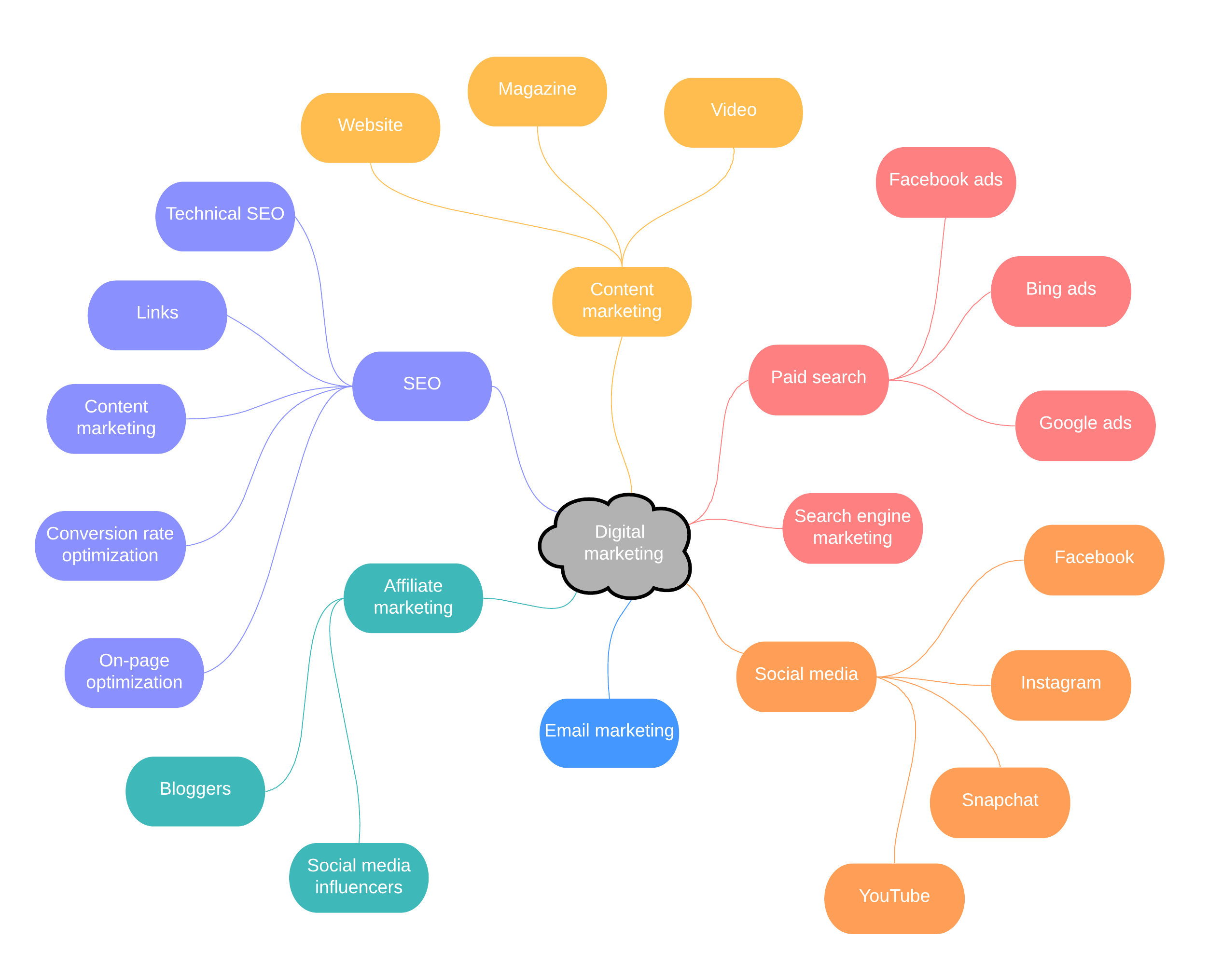
You might also consider creating a mind-map of connections between the topic you are researching and other related concepts. This way you can easily visualize the topics and themes at the center and edges of your research boundaries. It's also a good excersize to update your mind-map throughout your research process as it helps to synthesize information as well as draw connections between topics. Making connections between topics is a key first step out of the "inspiration" phase and into the "ideation" phase. Other visual frameworks are helpful at this stage as well.
Digital Literacy and Online Research
Wikipedia is always a great place to start, it provides a quick overview of the subject, along with links to primary sources and additional references to learn more. Checking these references is not only a way to dive deeper but also necessary for verifying and validating the information in the article. Additionally, keep an eye out for any banners at the top of the Wikipedia page that indicate if an article needs more citations or has other issues. These banners can alert you to potential gaps or weaknesses in the information presented. It's also always worth checking the 'Talk' page of a Wikipedia article, as it provides insight into ongoing discussions and debates about the content—remember, Wikipedia can be edited by anyone, which is both a strength and a potential weakness, and the 'Talk' page gives you a window into these dynamics on a per-article level (not to mention all sorts of interesting tangents).
Another likely starting point is a search engine (like Google, Bing, or DuckDuckGo) or to an AI chat bot (like ChatGPT or Claude). These tools can help you explore your topic, but it's essential to approach them with caution. When using search engines, it's important to craft specific and well-defined keywords to refine your search results (look into "Google Search Operators" and "Google Dorks"). Search engines can sometimes lead you to misinformation sites, so make sure to critically evaluate websites for credibility, author qualifications, and publication date. Be aware that search engines often personalize results based on your past behavior, which can create echo chambers—try using multiple search engines (ideally one that doesn't track you this way like DuckDuckGo) or incognito/private mode to get a broader perspective.
AI chatbots, like ChatGPT, Gemini or Claude (or our new Phoenix AI), can be powerful collaborators during your research process, but it's important to understand how they work and where their limits are.
When answering questions, AI tools typically use either internal knowledge (based on their training data) or real-time information pulled from the web. Responses based solely on internal models can be creative and fast, but they're also prone to ⚠️ hallucinations ⚠️, that is, making up facts, names, or sources. These responses can be useful for brainstorming or perspective-shifting, but any factual claims should always be verified. Some tools now offer a "deep research" mode or web-connected features that can link directly to sources; these are more reliable for factual or current information.
Watch for ⚠️ sycophancy ⚠️. most AI chatbots are trained to be agreeable, which means they'll often confirm your framing or hunch, even when it's wrong. If your prompt bakes in an assumption ("this artist perferred to work with paint so..."), the model may run with it instead of testing it. This gets worse when you signal your preferences or stance. To counter it, write neutral prompts and explicitly ask the model to challenge your premise, list alternative explanations, and surface reasons you might be wrong. Require sources (ideally two that differ), a brief confidence rating, and what new evidence would change the answer; then compare outputs across models or re-prompt from the opposite viewpoint. Treat uncritical agreement (especially without citations) as a red flag.
Used thoughtfully, AI chatbots can help you generate new angles, summarize dense material, identify related topics, or refine your research questions. Don't treat them as authoritative sources, treat them like flexible thinking partners. And for more focused research tasks, many of these tools now support uploading documents. If you're working with long texts, theory-heavy material, or multiple PDFs, consider exploring tools like NotebookLM (covered later in this guide), which are designed to help you organize, synthesize, and build from your source material.
Other Online Research Tools
- The University of Chicago Library: maybe obvious, but worth stating that you have access to loads of amazing reserach resrouces including online tools here at the University.
- Bookmark What You Find: Use browser bookmarks or third party tools like Pocket to keep track of useful articles or resources you come across during your research. Tag/categorize your bookmarks consistently to organize them effectively, ensuring that you can easily revisit them when needed.
- Download Important Articles: Websites can go offline (see link rot), and bookmarks can become invalid over time. To prevent losing valuable information, save copies of important articles directly to your device. Browsers let you "save" or "print" pages you visit, but these built-in features have their limits, you may need to use other tools like web or media scrapers (ex: SiteSucker and youtube-dl)
- Use the Internet Archive: If a link you saved is no longer working, the Internet Archive's Wayback Machine might have a saved version. It's an invaluable tool which lets you visit archives of older sites (they've been saving copies of old web pages since 1996)
- Google Books & Scholar: Google Books allows you to search within books for relevant keywords, and Google Scholar lets you do the same for academic papers and journals. Both are useful for finding more in-depth resources related to your topic.
- Image-Based Searches: Sometimes your search query is an image not text, say for example you came across a photo in a post and you're trying to track down what book or article it came from. Google Images lets you search by uploading images rather than writing text. Just click the camera icon in the search bar and upload your image. Som AI Chat bots also allow you to upload images which they can analyze and respond to.
- LLM document analysis: LLM's (Large Language Models) are great at digesting information from large documents, most AI chat bots (like ChatGPT and Claude) let you upload documents. Another example is Google's NotebookLM, a powerful, but still experimental, AI-driven tool that can assist you in organizing and synthesizing your research. NotebookLM uses AI to help summarize long documents, pull key information from multiple sources, and even generate questions you might want to explore further.
Information Overload
Below are some tips for avoiding information overload, but keep in mind, this does not mean we want to artificially limit the amount of information we consume on our topic. Like Kirby mentions in his Remix Method, you should learn as much as you can about your research topic. The trick is to avoid feeling anxious by staying within your boundaries, for example:
- When reading an article you might come across names of people/places/ideas that are unfamiliar to you. It's definitely important to look these up to learn who/what they are, but you want to avoid falling down a hyperlink rabbit whole. Return back to the main article once you've clarified an unfamiliar reference.
- Try not to multi-task while doing research, this includes doing other things online. Close any tabs in your browser that aren't relevant and turn off notifications on your phone.
- When you sit down to do research, try setting a specific goal. This could be a short list of articles you want to read or a particular set of questions you want to answer. Every few minutes check in with yourself to make sure you haven't steered too far away from these goals.
- If a particular question leads you to a web search which results in opening up way too many tabs for one night, take a few minutes to skim through the various articles. Close any tabs that don't seem relevant enough and reorder the remaining tabs from most interesting/relevant to least.
-
Take time to actively digest your research! After a night of researching take time document the following:
- list out any sources covered in that session (these can simply be URLs or other citation format), followed by...
- ...a summary of the material covered in those sources (what you learned from reading/watching/listening/etc those sources) as well as any...
- ...additional commentary you might have on what you learned. This last part is subjective, it might include some issues you had with the way a particular writer covered the topic in an article you read, or it might be some ideas you got while being inspired by another source.
- Producing written digests is great, but a similar and helpful trick (perhaps before writing the digest) is to sit down with someone and tell them about what you've just learned.
Deeper Research Methods
For media artists, research can take many different forms beyond the more conventional or academic approaches mentioned above. Below are some additional methods and consierations you might adopt depending on your particular goals. Click on each one to read more about it.
Are you trying to make a social or political statement through your work? Are there important factual claims at center of your message?
The Web is has an amazing wealth of knowledge, but it's also littered with all sorts of dis/misinformation. It's important that you evaluate your sources, especially with content by an author or publication you are unfamiliar with. If there's an important factual claims at the center of your work, I will be asking you to show your receipts! Below I've put together some key points to keep in mind when evaluatig sources.
Who is creating the information?
It's important to always ask yourself "Who's behind this article/video/etc I'm reading?" You want to make a habit of looking into the author(s) behind everything you research and not simply wait until you seem skeptical of something to start evaluating a source. Anyone can publish online, which means today more than ever we are responsible for ensuring the legitimacy of a source. Furthermore, we are all susceptible to believing a source that isn't trust worthy when it matches up with our preexisting world view (see Confirmation Bias). Remember that everyone has a bias, this doesn't mean that it's extreme or illegitimate, it just means they have a point of view. It's important to know what that is in order to understand how that might inform/effect the material they produce:
- Is the author identifiable? Look for links that say "Who We Are," "About This Site" or something similar.
- Is there contact information for the author? (e.g., e-mail address, mailing address, phone number)
- What is the author's background? (e.g., experience, credentials, occupation, whether they have written other publications on the topic)
- Is the author producing original research? If so how did they do it? Some sites (like journalistic publications) often publish their ethics, philosophies and methodologies on their sites (these are generally good signs, skim their handbooks!).
- If it is not original research, does the author cite their sources?
- Do links on this site lead to other reputable sites?
- Are there systems in place to catch and correct mistakes? Spelling errors or incorrect grammar are usual bad signs.
- When was the site last updated? When was the document.lastModified
Lateral Reading
There's a lot you can learn about a site's credibility on the site itself (as mentioned in the section above), but a site can be deceiving (for example, nice design isn't always an indicator of a reputable website, remember again that anyone can publish content online). The best thing to do is to see what other sources say about the site that you are on, this is called Lateral Reading. The opposite of Lateral Reading is Vertical Reading. Vertical reading is when we stay on a single site, scrolling down (vertically). Vertical reading is great for diving deep into material, but when you read vertically before reading laterally you risk falling prey to misinformation and becoming a part of the problem!
- Lateral Reading is reading across tabs.
- Lateral Reading is using different sources to gauge the legitimacy of any given argument or material.
- Lateral Reading is opening up other sites to see what they say about the site you are on.
Evaluating Evidence
There are some great fact checking sources out there for evaluating the validity of sources online (ex: Snopes) but it's important to understand yourself how to evaluate the evidence any of your sources use to make an argument. Below are a few points I put together specifically on evaluating a source's evidence:
- Reliable sources have solid evidence that support the material.
- Good evidence comes from another reliable source.
- Good sources have multiple reliable sources.
- Be conscious of your own confirmation bias (as mentioned earlier)
- Correlation is not causation. Beware of spurious correlations, in today's Internet these are rampant. Just because a source provides reliable evidence for some fact, does not mean that fact has any bearing on the claim they are making.
Is there a particular genre, style or approach central to your work?
Copying
The act of creation is surrounded by a fog of myths. Myths that creativity comes via inspiration, that original creations break the mold, that they are the products of geniuses, and appear as quickly as electricity can heat a filament. But creativity isn't magic. It happens by applying ordinary tools of thought to existing materials, and the soil from which we grow our creations is something we scorn and misunderstand even though it gives us so much, and that's copying. Kirby Ferguson
Artists have long learned by copying the works of others. Painters often set up their easels in museums to replicate the works of prominent artists, and new musicians usually start their journey by learning to play the works of influential composers or recording artists. This practice isn't about reinterpretation or adding personal flair, as in a cover song—the key lies in reproducing a work as faithfully as possible. Following a YouTube tutorial step by step is another form of copying that can help internalize new skills. However, who you choose to copy matters—it's best to follow tutorials made by creatives you admire rather than just the ones with the highest views. By doing so, you ensure that the influences shaping your work are intentional and align with the direction you wish to grow as an artist.
Hunter S. Thompson rewrote his favorite books word by word to "feel" what it was like to write them, emphasizing the power of direct replication in learning. Sometimes this process can feel monotonous, but it has been crucial to the development of even the most renowned artists. Poet and professor Kenneth Goldsmith's concept of 'Uncreative Writing' also embraces the idea of creating exact copies as a way to learn. Goldsmith's techniques involve replicating texts without changing them, focusing on the act of reproduction as a creative exercise. Many of Goldsmith's exercises also make a point about the impossibility of making a 'perfect' copy, even when that is the goal. Inevitably, differences will emerge, but rather than forcing these variations, allowing them to happen naturally can lead to new discoveries—including uncovering aspects of your own unique style. By copying a text word-for-word, the artist gains deep insights into its structure, style, and the original creator's decision-making process.
This approach applies across mediums, whether it's visual art, writing, or coding. For artists working in code, copying line by line—rather than copying and pasting—helps to fully absorb and understand the material. Writing code out by hand, like Thompson's practice, allows your mind to really digest and learn from the work of others, enabling you to understand the nuances of their coding choices and build your own skills more deeply.
Start copying what you love. Copying, copying, copying. And at the end of the copy, you will find yourself. Yohji Yamamoto
If you're looking to be inspired, but don't know who to copy, below are some resources for discovering works by canonical and contemporary new media artists and creative technologists:
Is there a particular medium or technology central to your work?
Creative Misuse: experimentation and play
Experimentation and play are crucial when working with different media or technologies. Experiments can guide your inquiry, spark new ideas, and lead to unexpected discoveries. By trying new tools, pushing the boundaries of a medium, and engaging in playful exploration, you can uncover opportunities and approaches you hadn't previously considered. Embracing curiosity allows your work to evolve naturally, driven by the process rather than a fixed outcome.
One form of playful experimentation is "creative misuse," which involves using existing tools in unconventional ways to discover new possibilities. Circuit bending, for example, is a practice that emerged in the 1960s and involves modifying electronic toys to create unexpected, often chaotic, sounds. Similarly, early hip-hop DJs like Grandmaster Flash and DJ Kool Herc experimented with turntables, inventing techniques like scratching by creatively misusing the technology at hand. These examples highlight how experimentation through creative misuse can inspire entirely new art forms and help cultivate an individual style. Letting these discoveries happen naturally, rather than forcing them, allows for organic artistic growth.
We tried to make all the mistakes we could [...] the mistake is nothing wrong, the computer keeps working. Something wrong still works, there's nothing wrong with something wrong. jodi.org (from this mini-doc)
Are you trying to solve a specific problem or respond to a particular design challenge?
the people you're designing for are your roadmap to innovative solutions. All you have to do is empathize, understand them, and bring them along with you in the design process. Emi Kolawole
When trying to solve a particular problem or create a solution, immersing yourself in the experiences of others is key to opening up new creative possibilities and shedding preconceived notions. The simplest way to do this is through qualitative (rather than quantitative) research—going out and interviewing your target audience. By engaging directly with the people you're designing for, you can better understand the complexities of their lives and the context they navigate. This approach keeps their needs and experiences at the center of your work, ensuring that your designs are both relevant and empathetic. IDEO's Field Guide to Human-Centered Design has various resources and suggestions for how you might conduct this sort of reserach.